
How to Use the Personal Practice Plan
With the Personal Practice Plan, no instructor is present; during your session you handle everything from unlocking the facility to powering on the equipment.
This page explains the flow from booking to unlocking and powering on the equipment.
How to book
https://rsrv.meguro-shooting.com/menu/
From this page, select the Personal Practice Plan and proceed to confirm your reservation.
The Personal Practice Plan requires membership registration, so please register before booking.
Unlocking the room
Unlocking is done from My Page on the website. After logging in, tap the options button at the top right → tap Reservation History to open the reservation list.
During your reserved time, an “Unlock” button appears — tap it to unlock the facility door.
* Not shown outside your reserved time
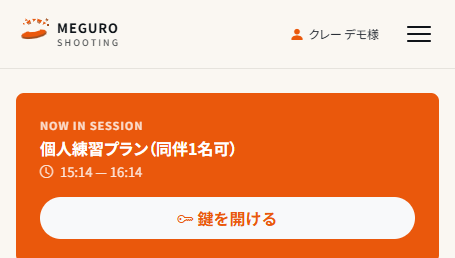
There is a lag of about 5–10 seconds from tapping the button to the door unlocking. Please enter after you hear the door unlock.
To re-enter during your session, reload the Reservation History page to show the “Unlock” button again.
Equipment operation steps
Please operate in the numbered order
- 1 Projector ON
Turn on the power using the projector remote.
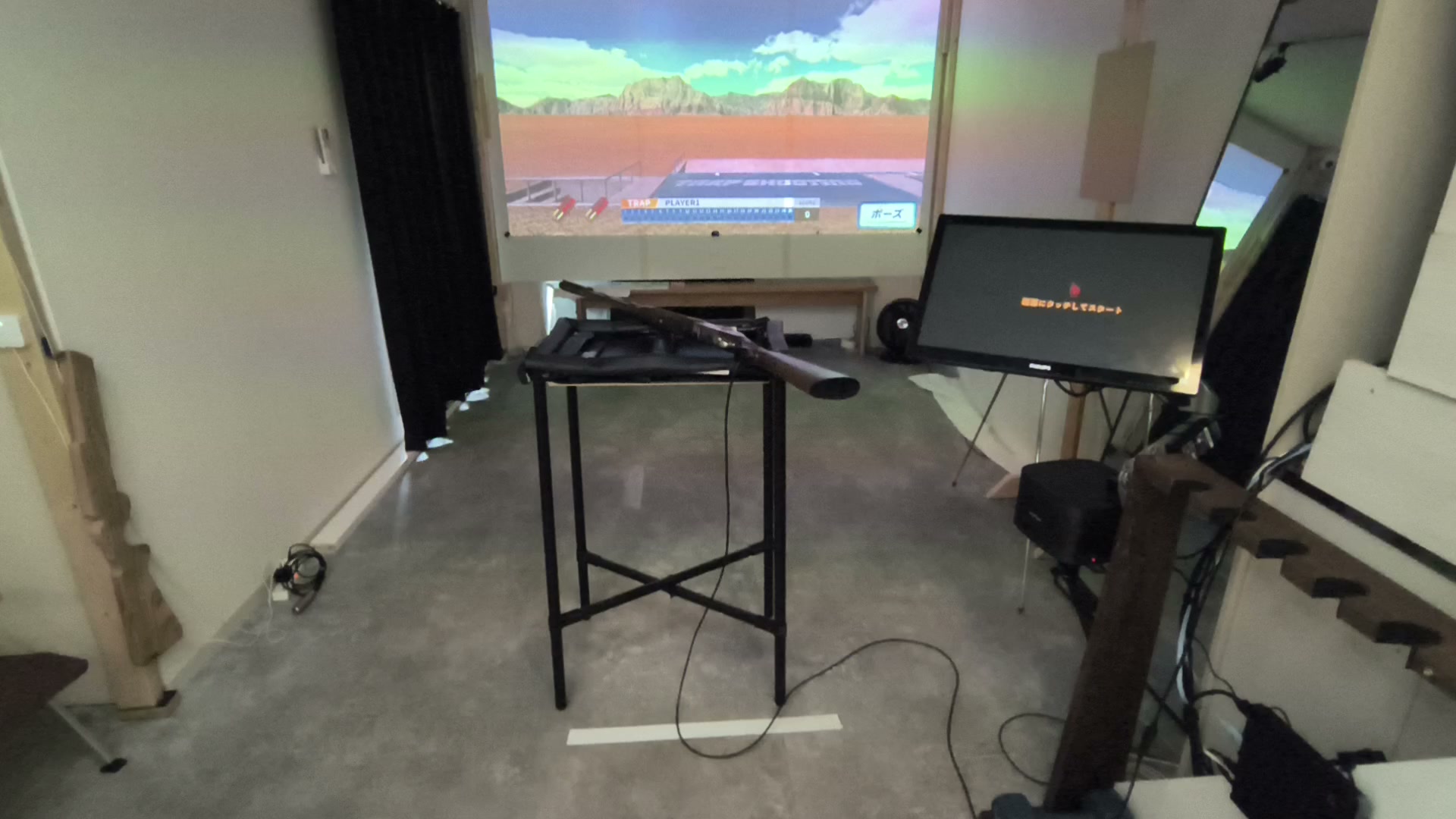
The projector is at the position circled in red 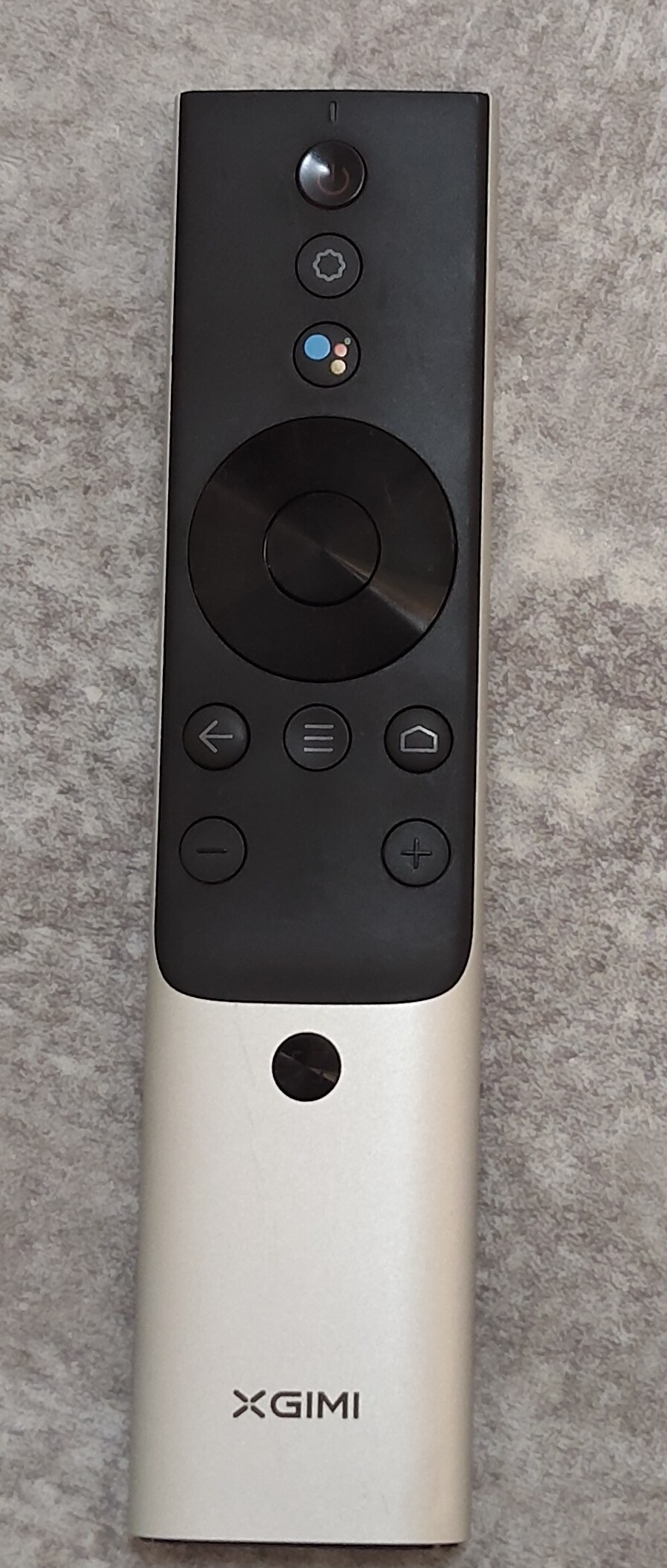
Power on with the top button - 2 Switch HDMI input
After turning on the projector, use the round directional pad in the center of the remote (press the outer ring up/down/left/right to move, and the center button to confirm). Select the “Input” icon (red box) at the top of the screen, then when the input list appears, choose “HDMI1” (red box) and confirm. The PC screen will now display.
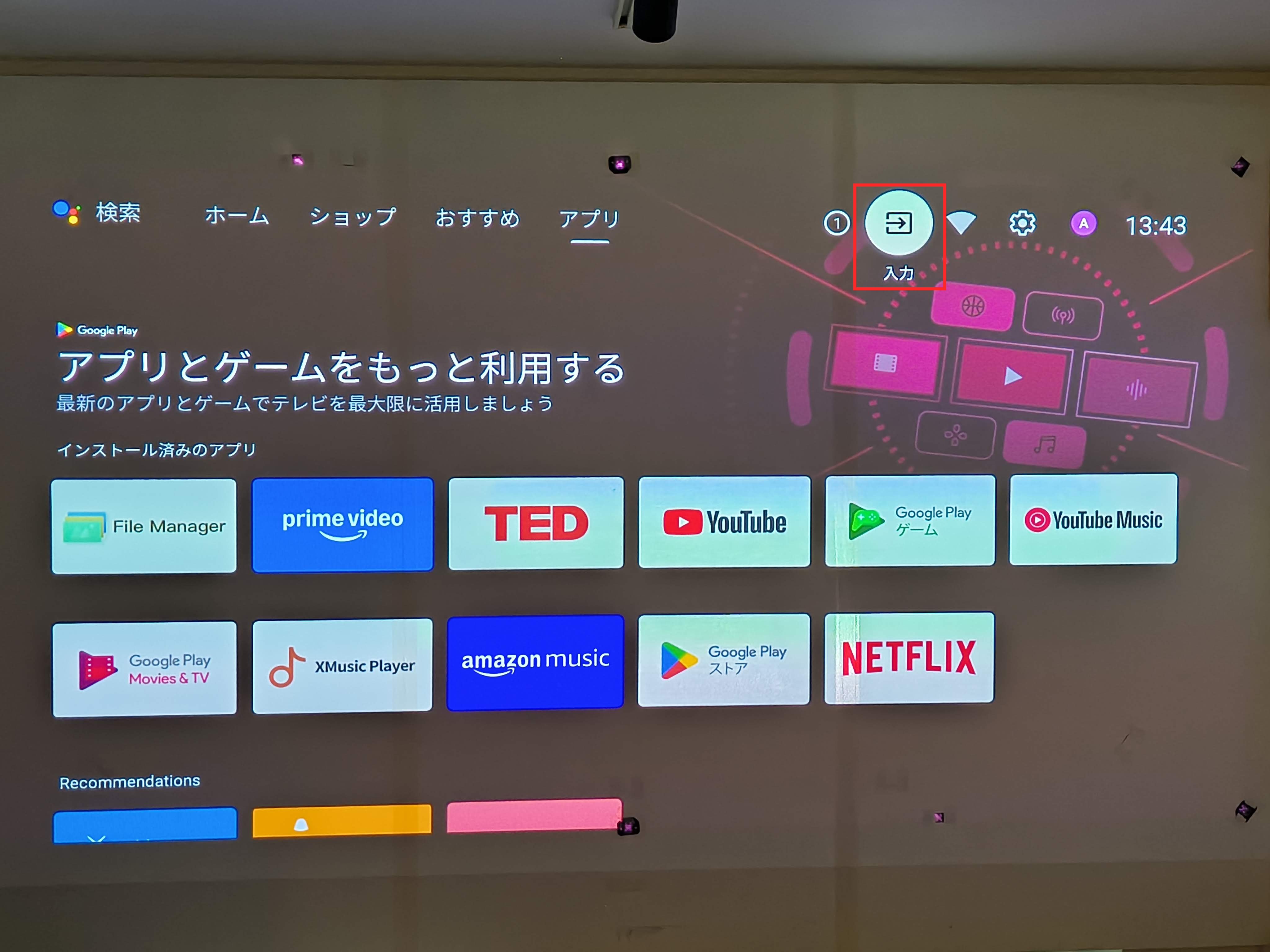
① Select the “Input” icon at the top 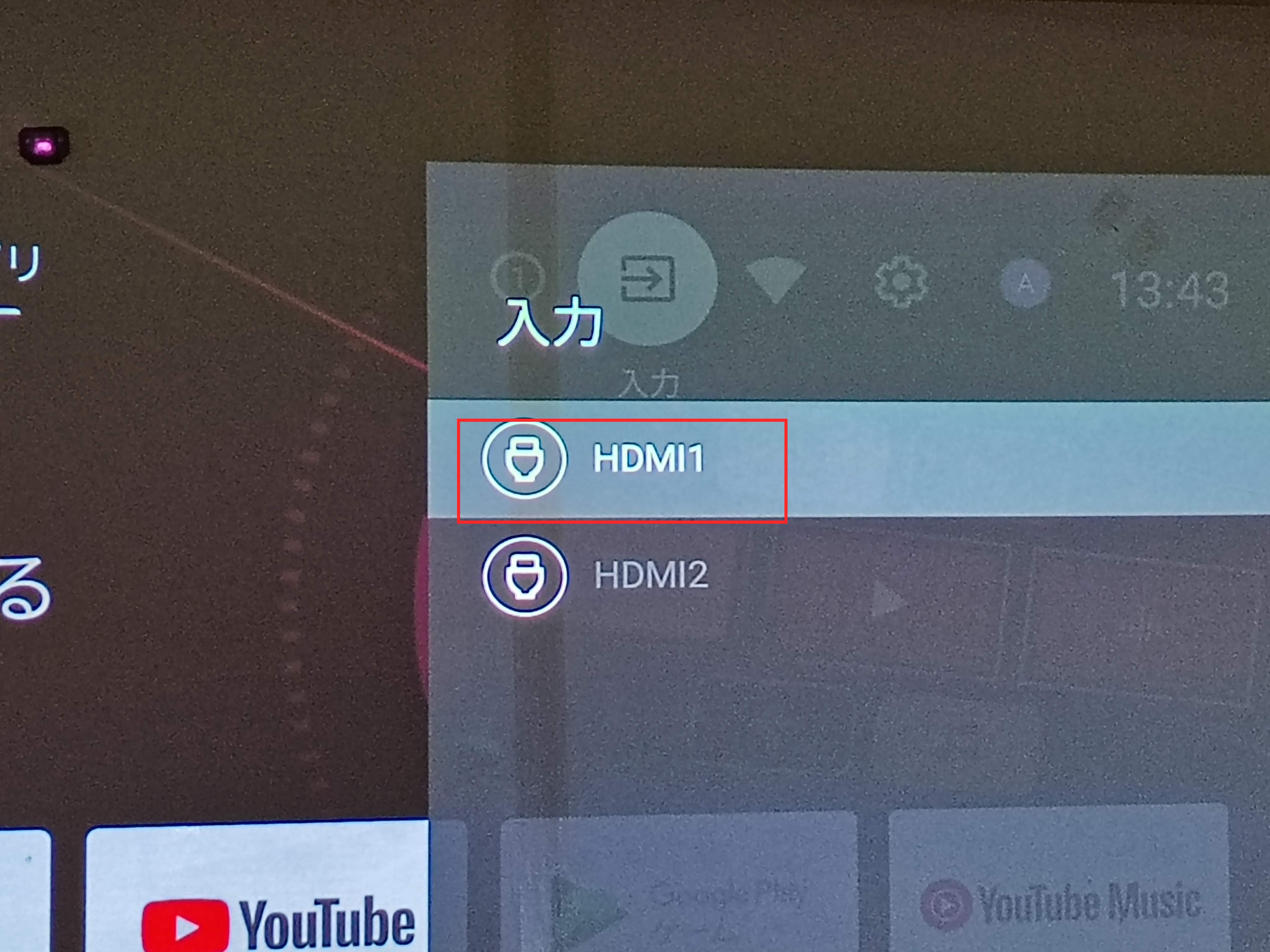
② Choose “HDMI1” - 3 Speaker ON
Press the power button at the top left of the speaker remote (BOSE).
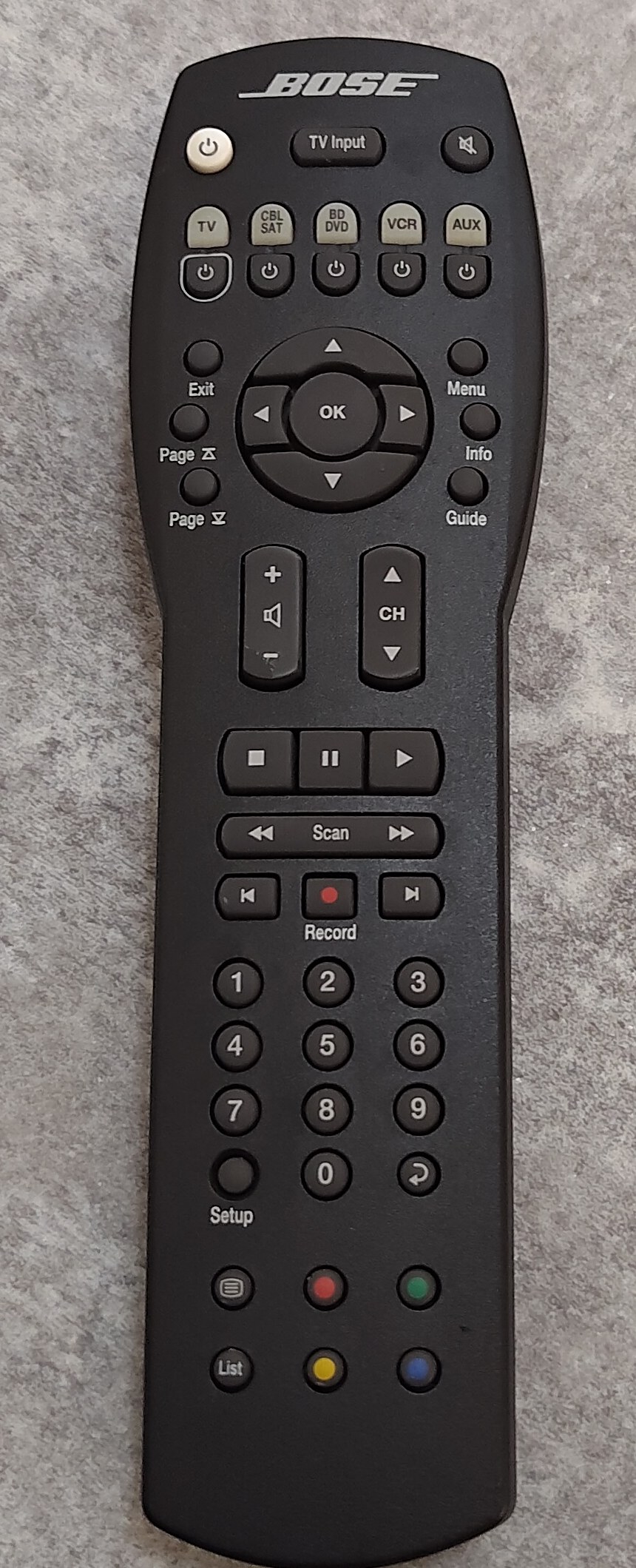
Power on with the top-left button - 4 PC ON
The PC is inside the opening below the “パソコンこの奥” (PC inside) label, to the left of the monitor. Reach in and press the large round button at the top of the front panel to turn it on. The projector will switch to the PC screen.
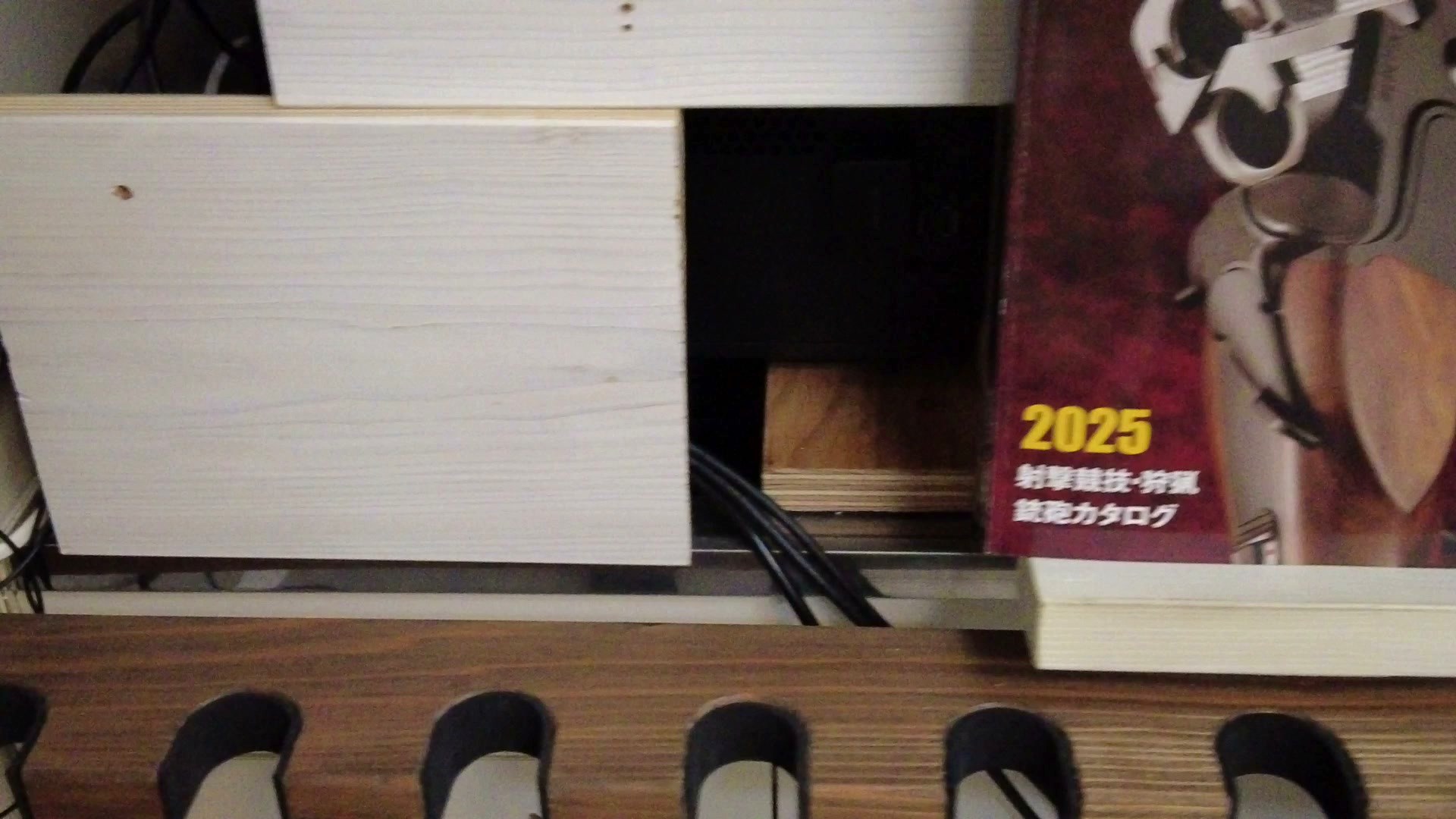
The PC tower is below the “パソコンこの奥” (PC inside) label, left of the monitor 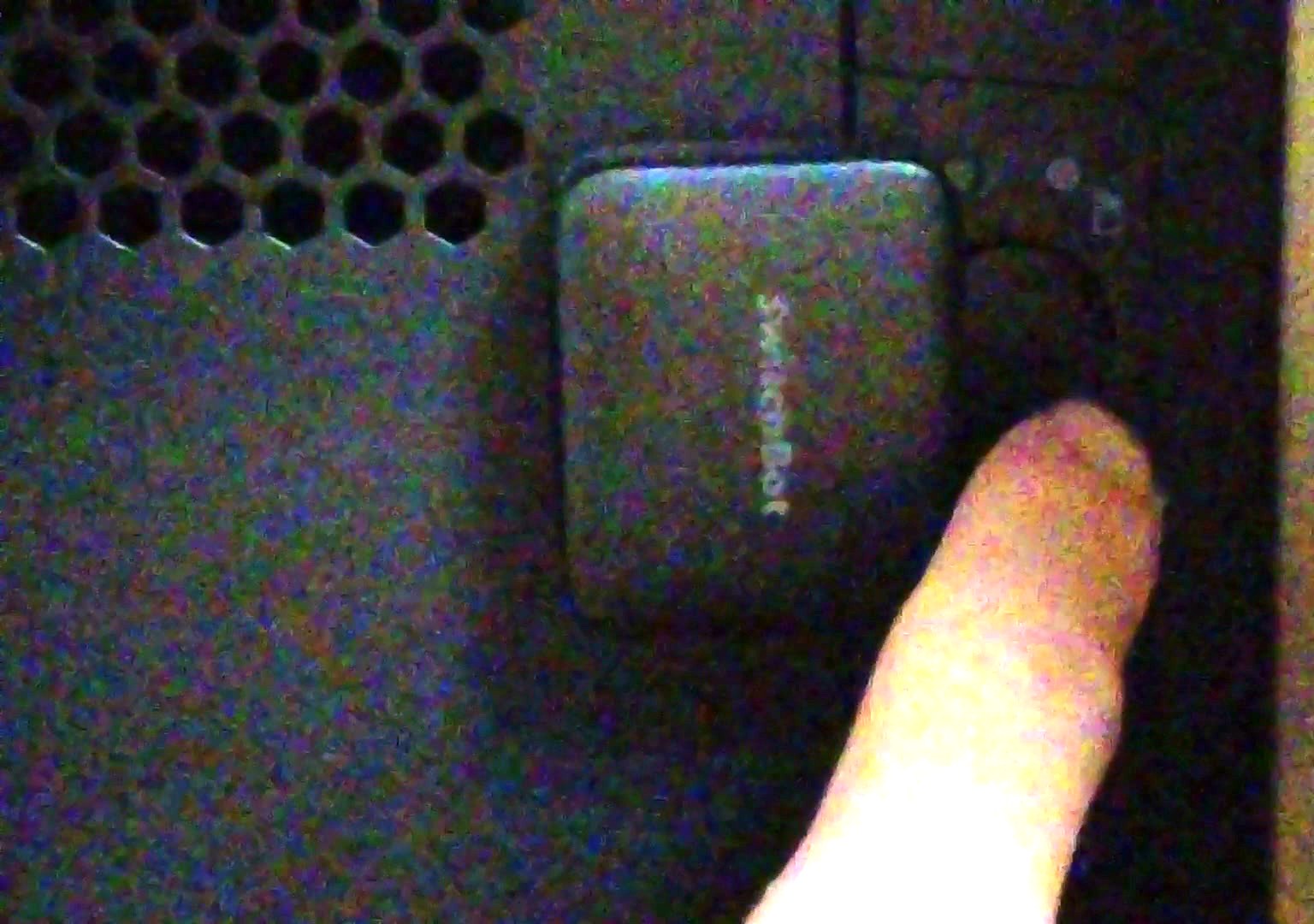
Press the large round button at the top (red circle) - 5 Launch the simulator
Operate using the touch display at hand. Press and hold the green “Launch Simulator” button (red box) at the bottom right to start the simulator.
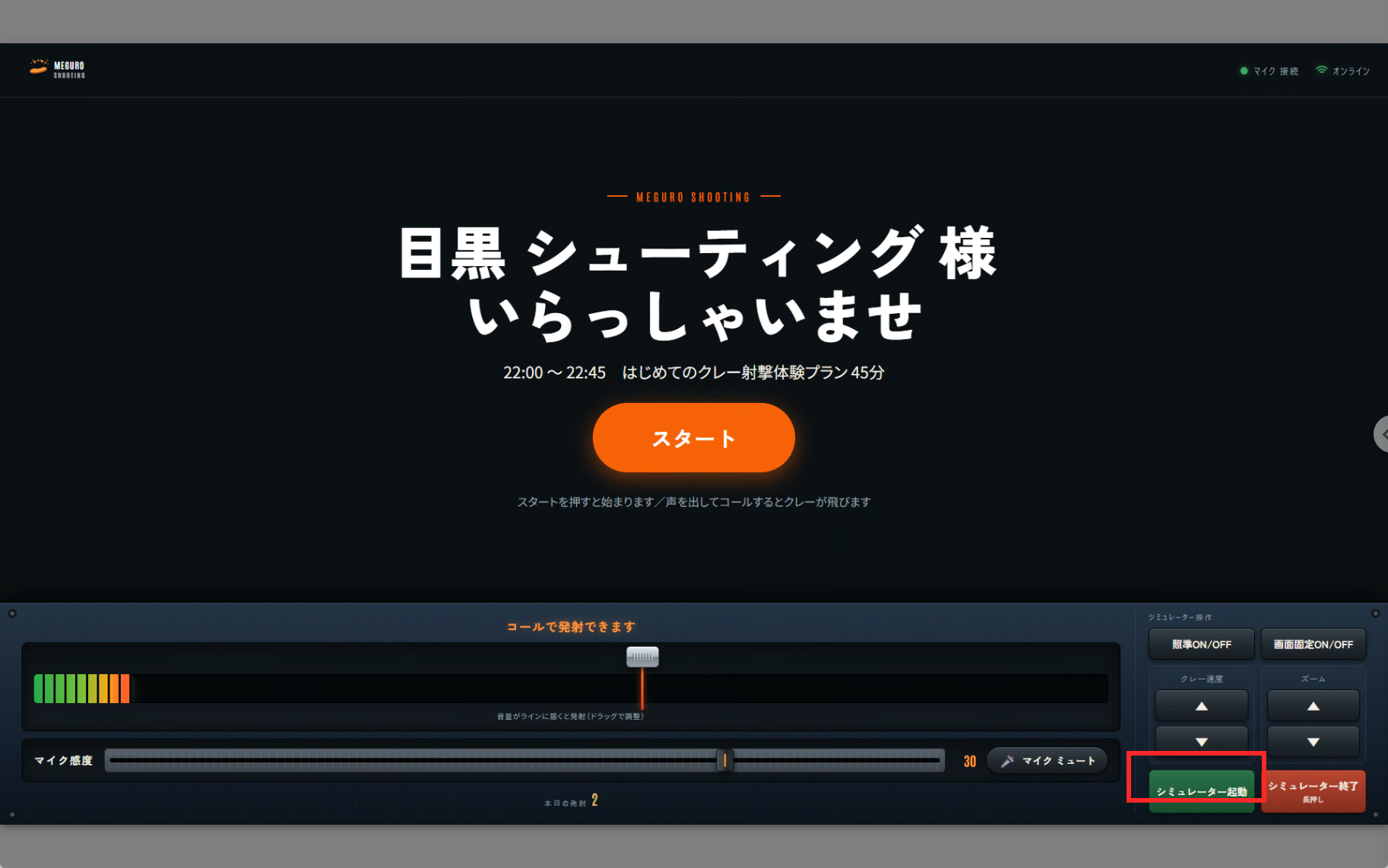
Press and hold the green “Launch Simulator” button at the bottom right - 6 Unmute the mic (before playing)
Right after the simulator starts, the mic is muted (this is normal). If the mic picks up voices or noise outside of play, such as while selecting menus, it may cause unintended actions.
Just before starting a round, press the red “ミュート中(解除)” (Muted – tap to unmute) button to unmute. Once the button turns into the gray “マイクミュート” (Mute mic) button, the mic is on.
After the round ends, mute the mic again before operating the menus.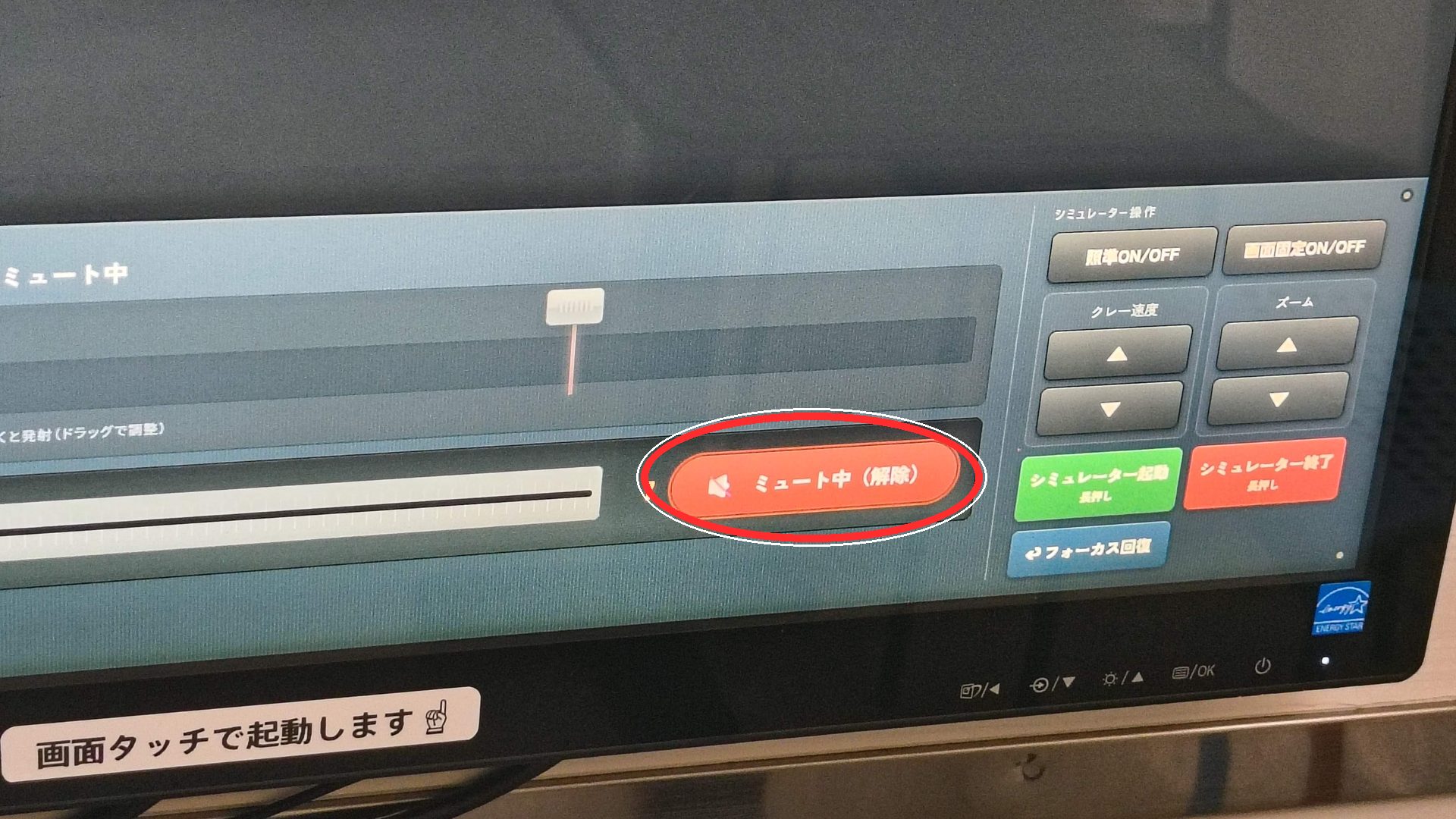
Before: press the red “ミュート中(解除)” button 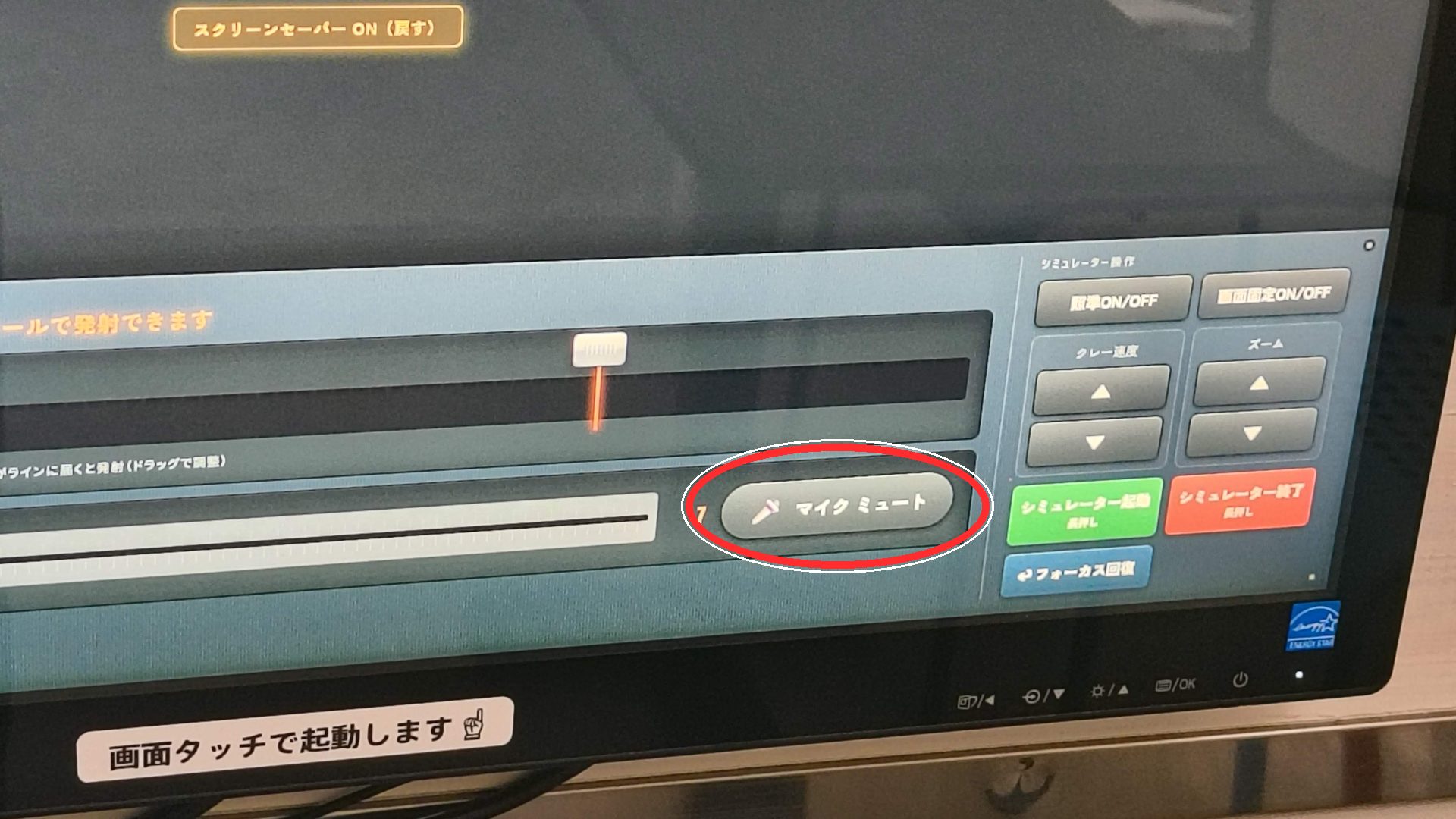
After: the gray “マイクミュート” button means the mic is on
Notes when leaving
- Always turn the lights and air conditioner OFF
- Projector: press the power button on the remote twice to turn it off
- PC: press the large round button at the top of the front panel to turn it off (no need to close the simulator first; it shuts down automatically)
- No need to touch the speaker (you can leave it on)
- Be careful not to leave belongings behind
Leaving
The door is auto-locking. No locking action is needed when you leave, so you may simply exit.
Please be careful not to leave belongings behind.